# Hair Product Intelligence Crawler
> 发制品电商数据采集与智能分析平台
> 从 Amazon / Lazada / Shopee 抓取假发与发制品数据,并用 LLM 生成市场洞察报告。
[](https://www.python.org/)
[](Fast and reliable end-to-end testing for modern web apps | Playwright Python)
[](https://streamlit.io/)
[](LICENSE)
-–
## 功能特性
| 功能 | 说明 |
| ------------------ | ----------------------------------------------------------------------------- |
| **多平台采集** | Amazon(美国/英国/香港)、Lazada 新加坡、Shopee 新加坡 |
| **登录状态保持** | Playwright 手动登录并保存会话,提升数据获取深度 |
| **数据归一化** | 统一商品与评论模型,提取发制品专属属性(材质、长度、卷度、颜色、Lace 类型等) |
| **LLM 智能分析** | 支持 OpenAI 兼容接口、Anthropic、Ollama,自动生成商品/区域/关键词分析 |
| **市场洞察报告** | 消费者喜好、爆款商品、属性偏好差异、高评分样式组合等商业洞察 |
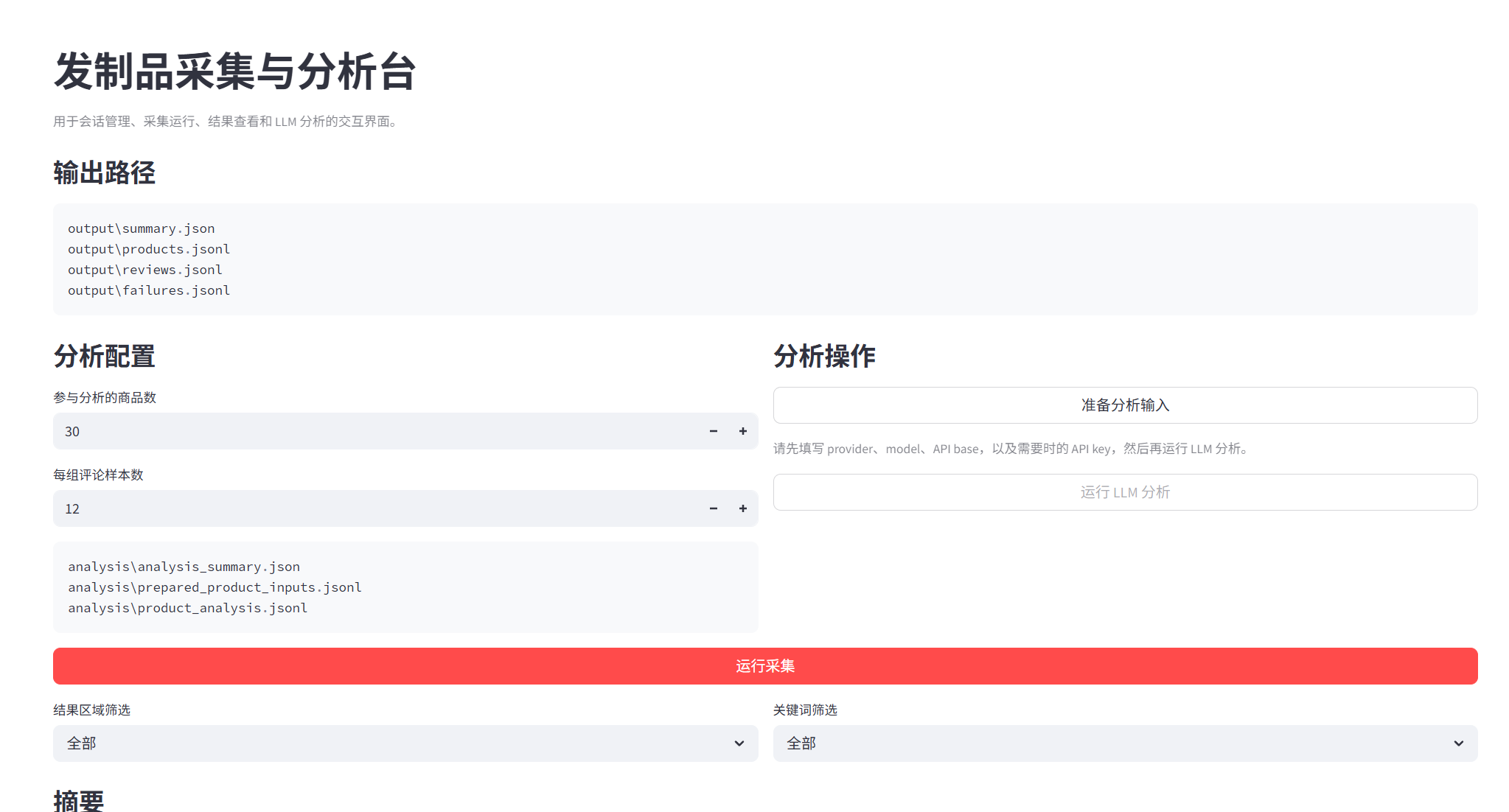
| **Streamlit 面板** | 双语(中文/英文)可视化界面,支持会话管理、采集运行、图表看板与 AI 问答助手 |
-–
## 项目结构
```
.
├── streamlit_app.py # Streamlit 交互式控制面板(双语)
├── src/
│ ├── main.py # CLI 入口
│ ├── config.py # 采集配置与目标定义
│ ├── auth.py # 登录引导与会话状态保存/加载
│ ├── models.py # 数据模型(ProductRecord / ReviewRecord / FailureRecord)
│ ├── pipeline.py # 采集流程编排与输出汇总
│ ├── storage.py # 数据持久化(JSONL)与摘要统计
│ ├── normalizers.py # 发制品属性归一化(材质/长度/卷度/款式)
│ ├── analyze_reviews.py # LLM 分析输入准备、调用与报告生成
│ ├── playwright_asyncio_win.py # Windows 下 Playwright asyncio 兼容
│ └── adapters/
│ ├── base.py # 适配器抽象基类
│ ├── amazon.py # Amazon 适配器(HTTP + Cookie)
│ ├── lazada.py # Lazada 适配器(Playwright 渲染)
│ └── shopee.py # Shopee 适配器(Playwright 渲染)
├── sessions/ # 保存的登录会话状态
├── output/ # 采集输出(products.jsonl / reviews.jsonl / failures.jsonl / summary.json)
├── analysis/ # LLM 分析输出(报告、摘要、洞察输入等)
└── debug/ # 调试页面快照
```
-–
## 安装
### 环境要求
- Python 3.12+ 不要使用最新版本,会有兼容问题
- Playwright 浏览器(Chromium/Edge)
### 安装步骤
```bash
# 1. 克隆仓库
git clone https://github.com/yourname/hair-product-crawler.git
cd hair-product-crawler
# 2. 安装 Python 依赖
pip install -r requirements.txt
# 3. 安装 Playwright 浏览器
playwright install
```
-–
## 快速开始
```bash
streamlit run streamlit_app.py
```
### 1. 保存登录会话(可选,推荐)
```bash
python -m src.main --bootstrap-login amazon --market com --delivery-region us
```
支持平台:`amazon`、`lazada`、`shopee`。登录完成后保持浏览器页面几秒,会话将自动保存到 `sessions/` 目录。
### 2. 运行采集
```bash
python -m src.main
```
不使用已保存的登录态:
```bash
python -m src.main --no-saved-login
```
### 3. 启动 Streamlit 面板
```bash
streamlit run streamlit_app.py
```
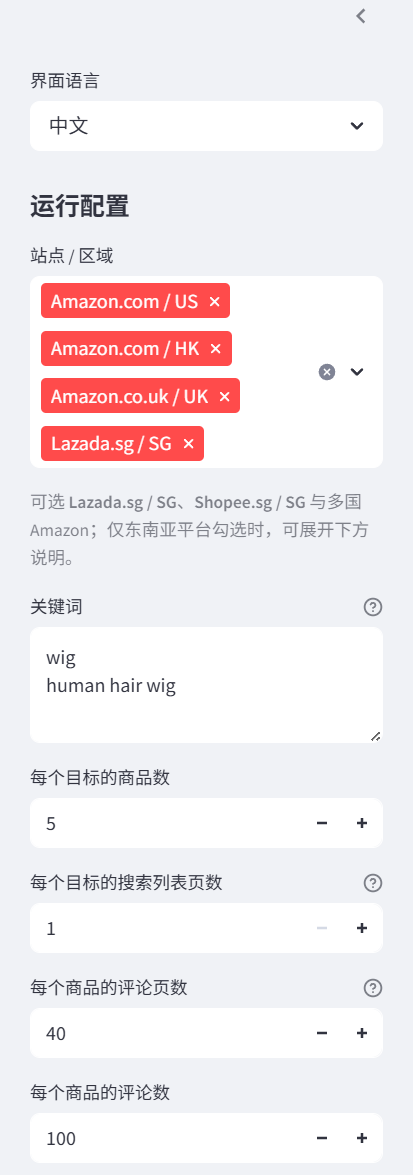
在浏览器中打开界面后,可配置站点/关键词、运行采集、查看结果、执行 LLM 分析与查看图表看板。
-–
## LLM 分析
### 仅准备分析输入(不调用模型)
```bash
python -m src.analyze_reviews --dry-run
```
### 运行完整 LLM 分析
```bash
export LLM_API_KEY=“your_key”
export LLM_MODEL=“your_model”
python -m src.analyze_reviews
```
可选变量:
| 变量 | 默认值 | 说明 |
| --------------------- | --------------------------- | ----------------------------------------------- |
| `LLM_PROVIDER` | `openai-compatible` | 支持 `openai-compatible`、`anthropic`、`ollama` |
| `LLM_API_BASE` | `https://api.openai.com/v1\` | API 基础地址 |
| `LLM_TIMEOUT_SECONDS` | `120` | 请求超时时间 |
### 示例:Anthropic
```bash
export LLM_PROVIDER=“anthropic”
export ANTHROPIC_API_KEY=“your_key”
export LLM_MODEL=“claude-3-7-sonnet-latest”
python -m src.analyze_reviews
```
### 示例:Ollama
```bash
export LLM_PROVIDER=“ollama”
export LLM_API_BASE=“http://localhost:11434/v1”
export LLM_MODEL=“llama3.1”
python -m src.analyze_reviews
```
-–
## 配置说明
采集目标、请求节流、输出目录等配置位于 [`src/config.py`](src/config.py)。默认目标涵盖 Amazon 多国站点及 Lazada/Shopee 新加坡,关键词为 `wig` 与 `human hair wig`。可通过修改 `Settings.targets` 或直接在 Streamlit 面板中调整。
```python
# src/config.py 示例
CrawlTarget(
keyword="wig",

platform="amazon",

market="com",

delivery_region="us",

max_products_per_target=10,

max_listing_pages=1,

max_review_pages=40,

max_reviews_per_product=100,
)
```
-–
## 输出文件
| 文件 | 说明 |
| ------------------------------------- | ------------------------ |
| `output/products.jsonl` | 商品数据 |
| `output/reviews.jsonl` | 评论数据 |
| `output/failures.jsonl` | 失败记录 |
| `output/summary.json` | 采集摘要统计 |
| `analysis/report.json` | LLM 分析报告(JSON) |
| `analysis/report.md` | LLM 分析报告(Markdown) |
| `analysis/market_insight_report.json` | 市场洞察报告 |
-–
## 截图
> 以下为 Streamlit 面板界面预览,实际效果以运行后为准。

-–
## 注意事项
- 请遵守各平台的服务条款与 robots 协议,合理控制采集频率。
- 项目已内置请求节流(`min_request_interval_seconds` / `max_request_interval_seconds`)。
- Lazada/Shopee 依赖浏览器渲染,建议在登录后保存会话以获取更完整数据。
- Windows 环境下已包含 Playwright asyncio 兼容处理。
-–
## 技术栈
- [Python](https://www.python.org/)
- [Playwright](Fast and reliable end-to-end testing for modern web apps | Playwright Python) — 浏览器自动化与数据采集
- [httpx](https://www.python-httpx.org/) — HTTP 请求
- [BeautifulSoup](Beautiful Soup: We called him Tortoise because he taught us.) — HTML 解析
- [Streamlit](https://streamlit.io/) — 交互式数据应用
- [Plotly](Plotly Python Graphing Library) — 可视化图表
- [Pandas](https://pandas.pydata.org/) — 数据处理
-–
## 许可证
[MIT](LICENSE)